ReedThinking icon ChatGPT Export Assistant
Chrome Extension

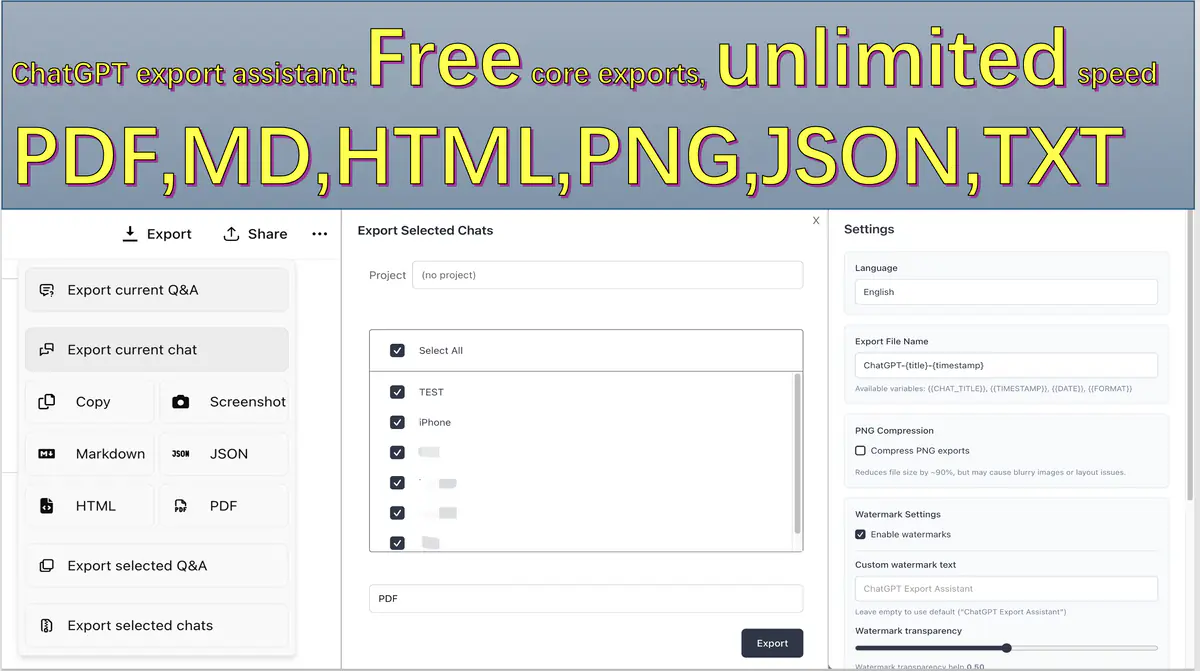
Export ChatGPT Conversations in 6 Formats with No Manual Throttling

PDF · HTML · Markdown · JSON · PNG · TXT
Product Note
6 export formats (including PDF) are free with no manual quota or speed throttling. 4 export scopes support everything from quick excerpts to full-archive backup. Absolute privacy guarantee: conversation content is never uploaded and is processed only locally in your browser.

Core Features

Four advantages focused on practical export workflows.

01

6 Free Export Formats

Export to PDF, HTML, Markdown, JSON, PNG, and TXT for free, with no manual quota or speed throttling.

02

4 Flexible Export Scopes

Choose current Q&A, selected Q&A, full chat, or batch export—from quick excerpts to full-archive backup.

03

Absolute Privacy Protection

Conversation content is processed locally in your browser and is never uploaded to our servers.

04

Advanced Customization

Customize watermark and footer, and use advanced options such as PNG compression and PDF print styling.

Output Quality You Can Review at a Glance

Previews focus on readability, structure retention, and predictable formatting for handoff.

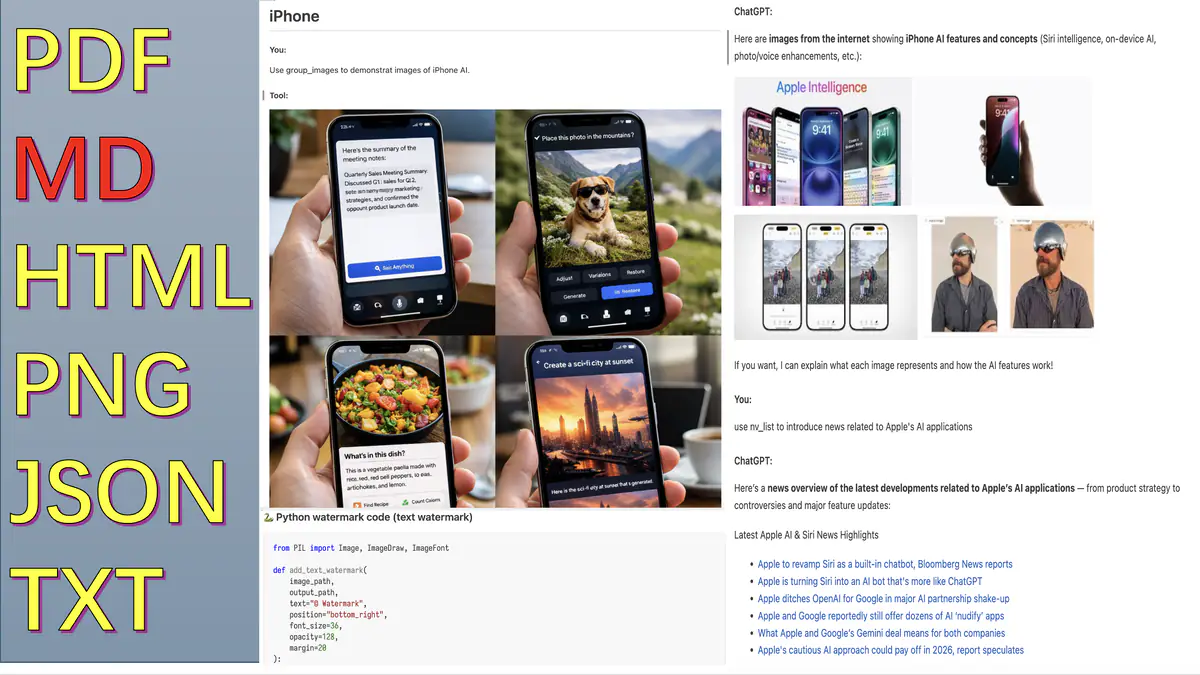
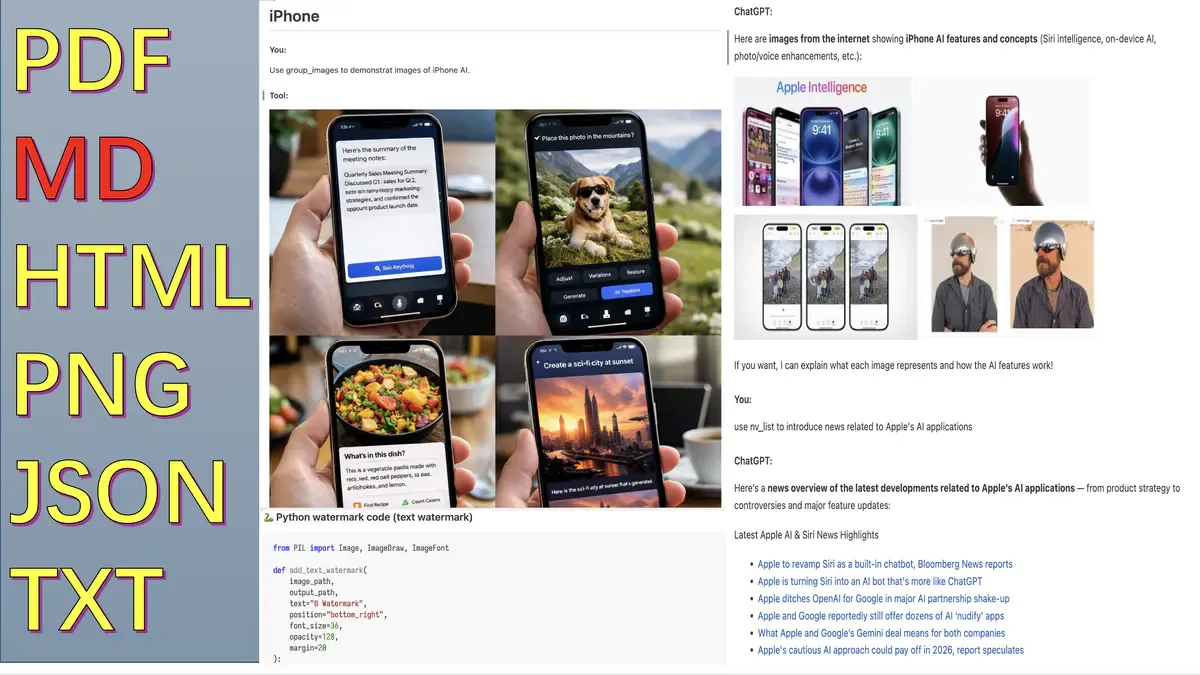
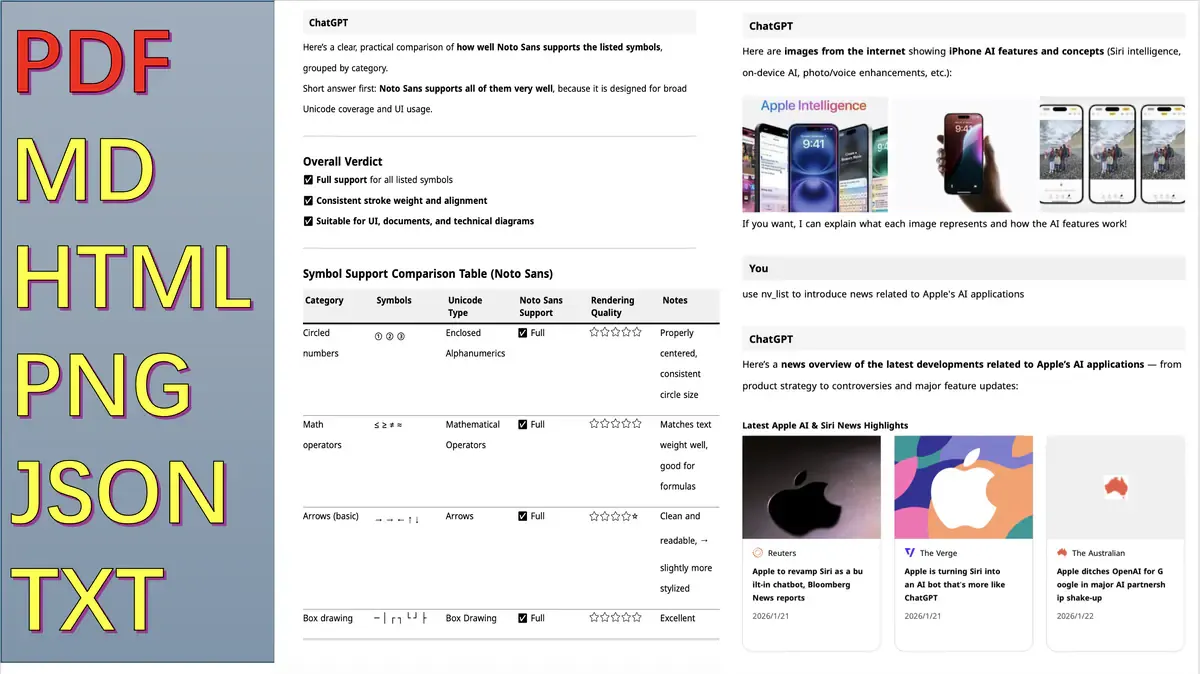
Export output preview 1

Readable PDF Layout

Pagination, spacing, and typography tuned for handoff and long-form archives.
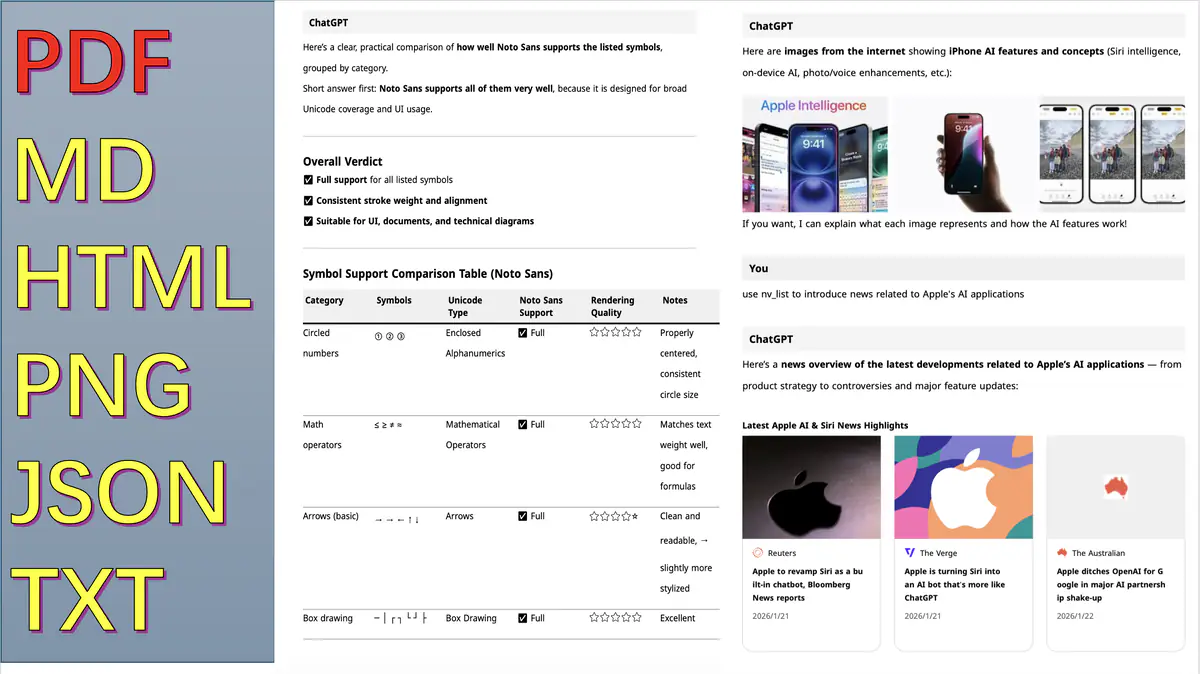
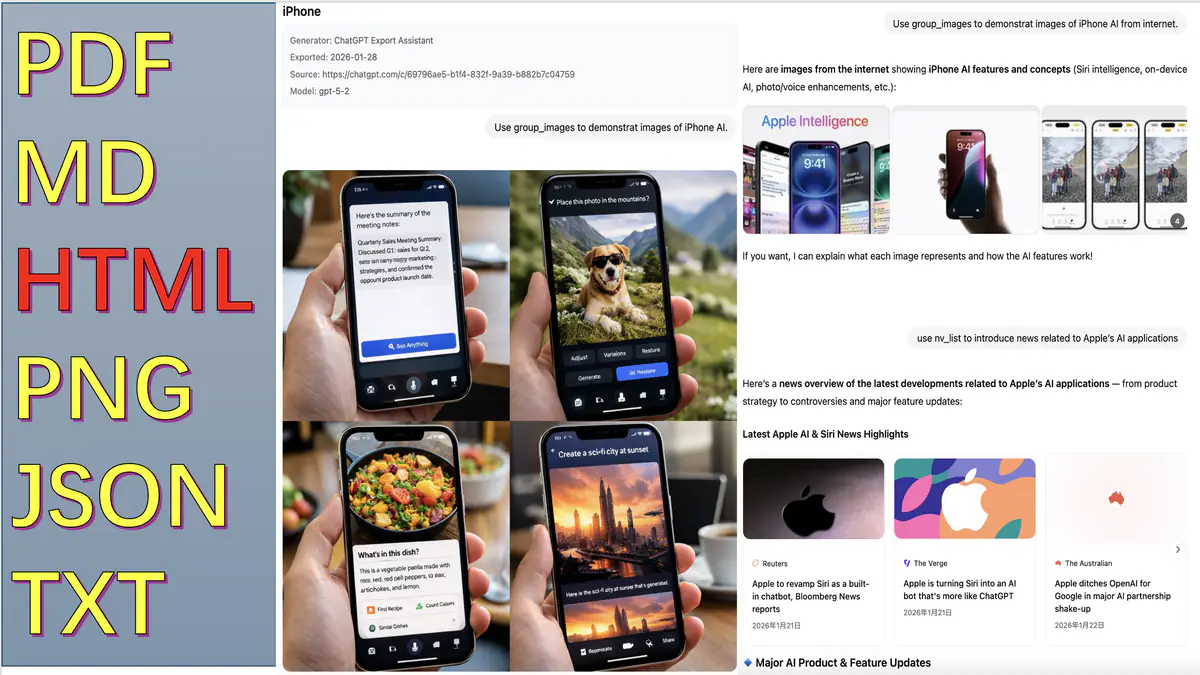
Export output preview 2

Clean Markdown Structure

Headings, code blocks, and tables remain consistent for docs and CMS reuse.
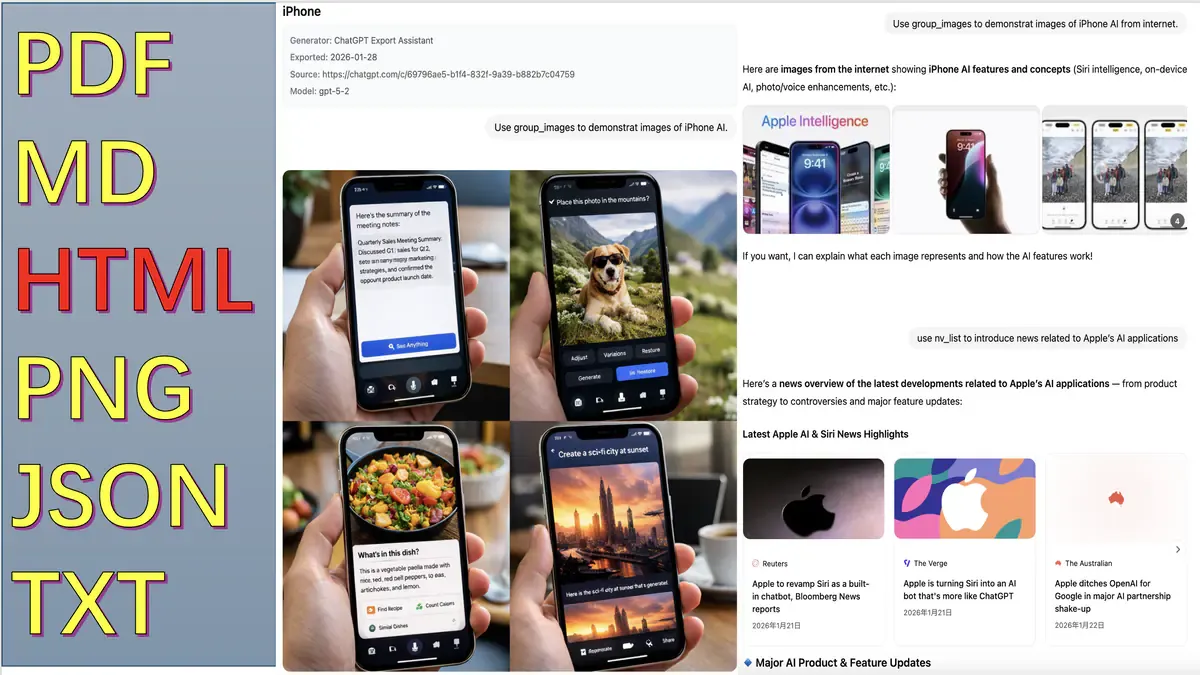
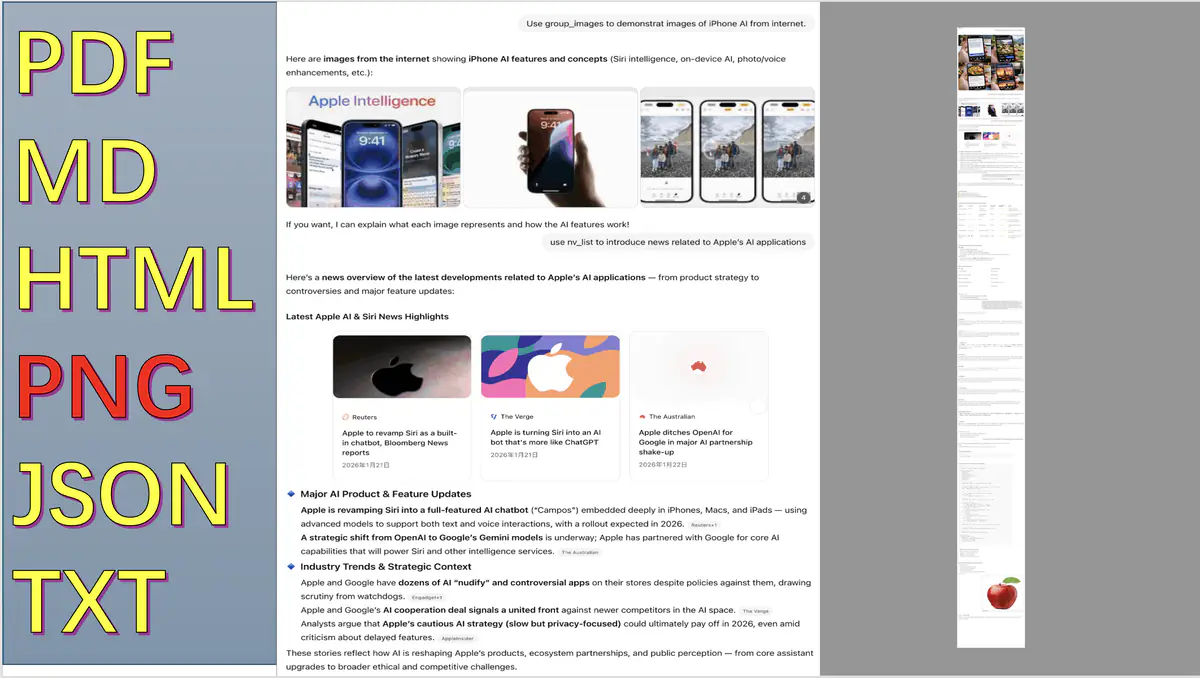
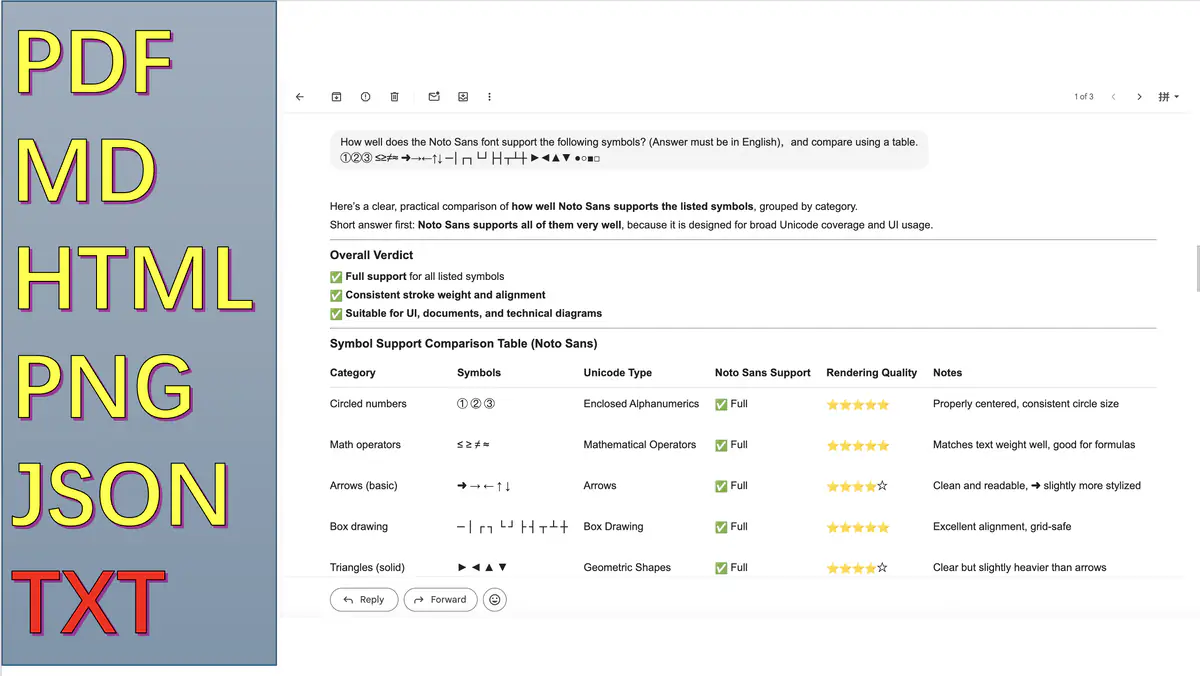
Export output preview 3

Structured Export for Automation

JSON/TXT outputs stay stable for scripting, analysis, and pipeline ingestion.

Free & Pro

Core export remains free. Pro unlocks add-on capabilities at $9.99 USD one-time.

Free

$0 USD

Core features always available

Core Export Workflows
Everyday export needs stay available in Free.
6 Export Formats
PDF, HTML, Markdown, JSON, PNG, TXT.
3 Core Modes
Current Q&A, selected Q&A, and full chat export.
Free PDF Export
No manual quota or speed limits.
11 Languages
Localized interface across supported regions.

Pro

$9.99 USD

One-time purchase

Unlock current Pro feature set.

All Free Features
Includes all Free capabilities first.
PNG Compression
Advanced compression with much smaller files.
Batch Export
Export selected conversations in batches.
Watermark Control
Disable defaults or customize text.
Footer Control
Disable defaults or customize text.
Priority Support
Faster responses for troubleshooting.

From Chat to Deliverable in 3 Steps

Open a conversation, choose exact scope, export in the format that your next tool needs.

01

Open the Target Conversation

Go to the ChatGPT thread you want to archive, share, or transform.

02

Pick Scope by Task

Current Q&A, selected Q&A, full chat, or batch export depending on delivery intent.

03

Export as Final Artifact

Generate PDF, HTML, Markdown, JSON, PNG, or TXT and ship it immediately.

How Value Lands in Practice

Four user-first outcomes focused on easier sharing, cleaner archives, and faster delivery.

A1

Save Useful Answers in Seconds

When a chat is done, export the exact part you need and keep it as a clean, searchable file.

Daily Save
A2

Share Results Without Reformatting

Create ready-to-send files for teammates, clients, or classmates without copy-paste cleanup.

Share Ready
A3

Keep Long Chats Organized

Use scope controls to export only what matters, so your notes and archives stay focused.

Less Noise
A4

Pick the Right Output for Each Moment

Use PDF for polished handoff, Markdown for docs, JSON for tools, and PNG/TXT for quick share or backup.

Right Format

Recent Product Updates

Visibility into what changed, why it matters, and how reliability improves over time.

2026-02-18

Local Font Flow and CWS Disclosure Hardening

Hardened local-font runtime path and aligned reviewer-facing privacy and permission disclosures.

2026-02-17

One-day Pro Trial with Expiry

Added one-day trial eligibility and automatic expiry handling for clearer upgrade evaluation.

2026-02-16

Single-device Pro Session Enforcement

Strengthened entitlement integrity by enforcing one active device session for Pro accounts.

2026-02-16

Short-lived Checkout Ticket for Payment

Replaced hash-token payment handoff with short-lived ticket flow to reduce token exposure.

2026-02-15

Homepage Gallery and Multilingual Content Refresh

Added PNG gallery and aligned public-facing copy across key locales.

Frequently Asked Questions

Quick answers to common questions

Why is the export button not appearing?

Possible causes and solutions:

  • Check if the extension is enabled in chrome://extensions/
  • Refresh the ChatGPT page (Ctrl+R / Cmd+R)
  • Open Chrome DevTools Console to check for error messages
  • Ensure extension permissions are not denied
Why do fonts appear as squares in PDF?

This is usually caused by missing fonts. Please try:

  1. When exporting PDF, your browser will ask for permission. Click "Allow" to use system fonts.
Why is PNG export slow?

Large conversations with many images can be slow. Optimization suggestions:

  • Enable PNG compression (Settings → PNG Compression → Enable) for smaller files and faster uploads
  • Consider using other formats (HTML or PDF export is faster)
Does the extension collect my conversation data?

Answer: No for exported conversation content.

Privacy commitment:

  • Core export features require that you are signed in to ChatGPT
  • Google OAuth sign-in is only used for account sync, Pro entitlement checks, and payment
  • Conversation export rendering runs locally in your browser
  • Authentication, entitlement status, and payment flows use backend services
  • No conversation content is uploaded for model training or analytics
  • Only minimal account and transaction data is processed when you sign in or purchase

Permissions explained: tabs (open/check related pages), storage (save settings/session), identity (Google OAuth), scripting (content script reinjection and local font bridge)

See full Privacy Policy

How to batch backup all conversations?

Recommended workflow:

  1. Click "Export selected chats"
  2. Wait for the conversation list to load (may take a few seconds)
  3. Click "Select All"
  4. Choose format (Markdown or JSON recommended)
  5. Click "Start Export"
  6. Wait for batch download to complete (each conversation as a separate file)

Note: Exporting many conversations may take a few minutes. The browser may prompt "multiple file downloads" - you need to confirm and allow.

What if the above does not solve my problem?

You can report issues through the extension Feedback entry (GitHub account required), or leave feedback on the Chrome Web Store page. The developer will follow up as soon as possible.